# Get Started
# Requirements
> 🚧 Minimum requirements on Asleep SDK for iOS
>
> * Xcode 14.1 or later
> * iOS 15.0 or later
> * Swift 5.0 or later
## API Key
An API key is required to use SleepTrack SDK.
Regarding how to issue an API key, please refer to [Generate API key](dashboard-generate-api-key).
***
# Getting Ready
SleepTrack SDK for iOS is distributed via the native Swift Package Manager built into Xcode.
## Install SleepTrack SDK
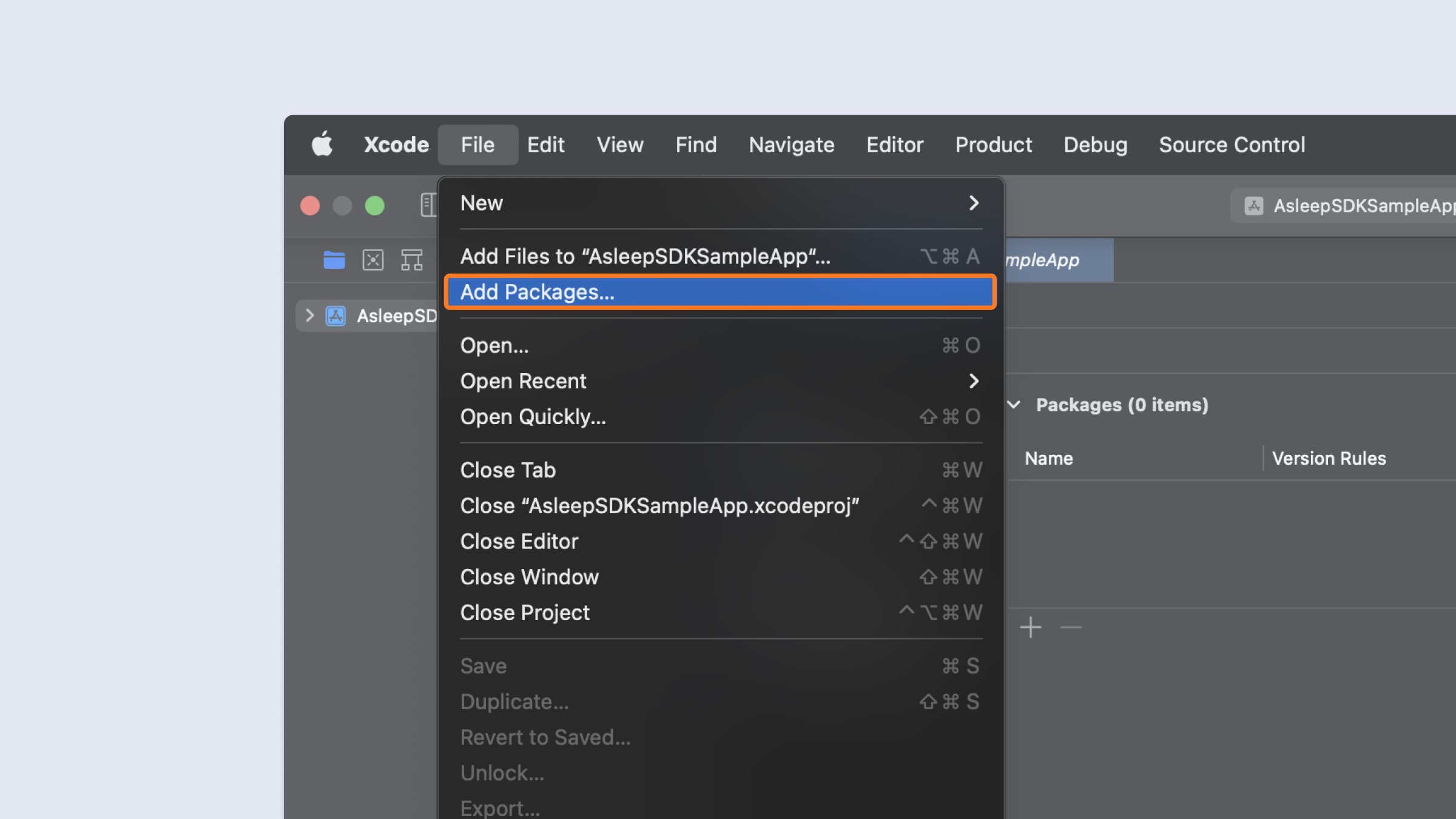
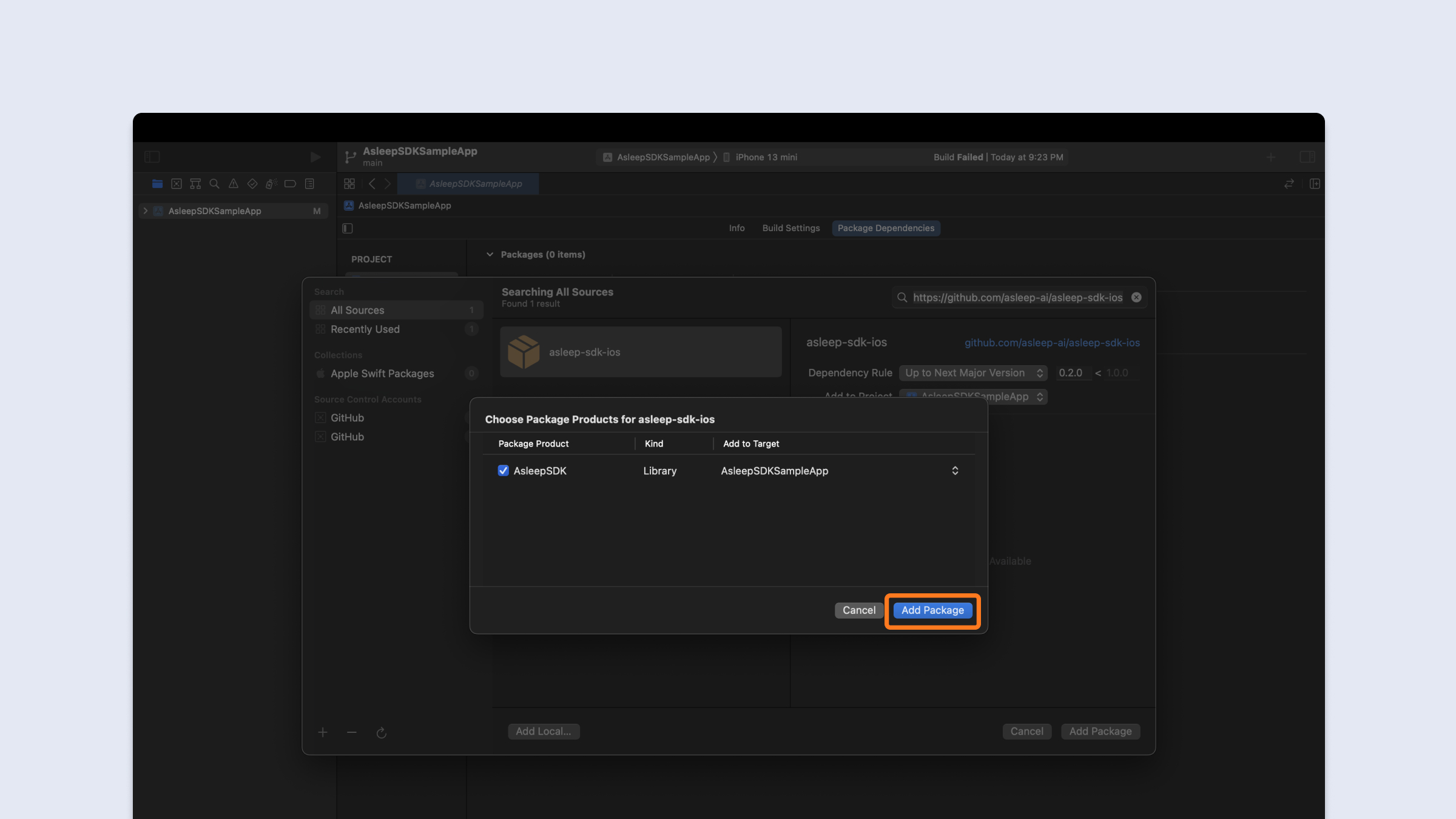
1. In Xcode, click File > Add Packages.\
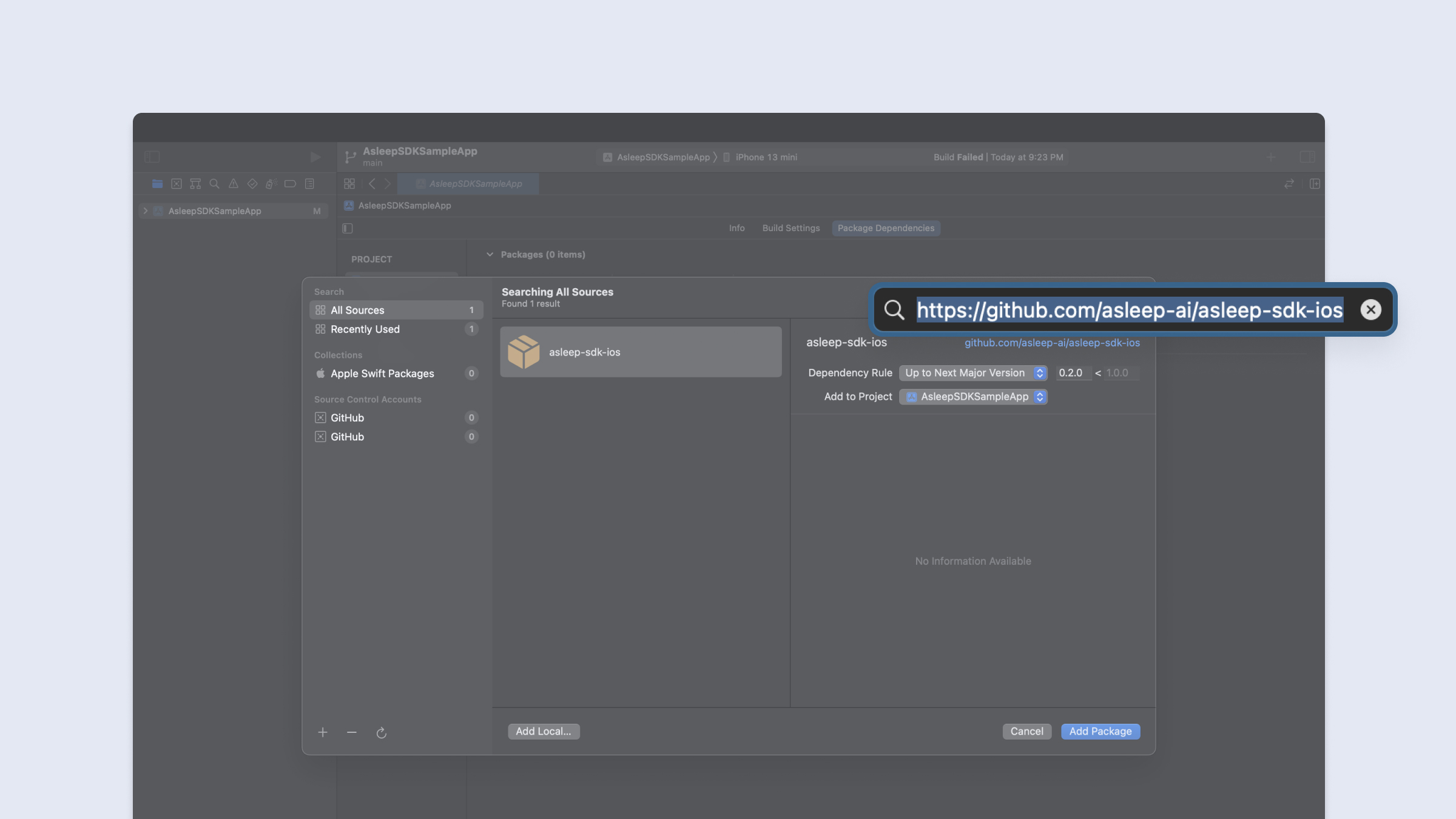
2. In the dialog that appears, enter the repository URL [https://github.com/asleep-ai/asleep-sdk-ios](https://github.com/asleep-ai/asleep-sdk-ios).\
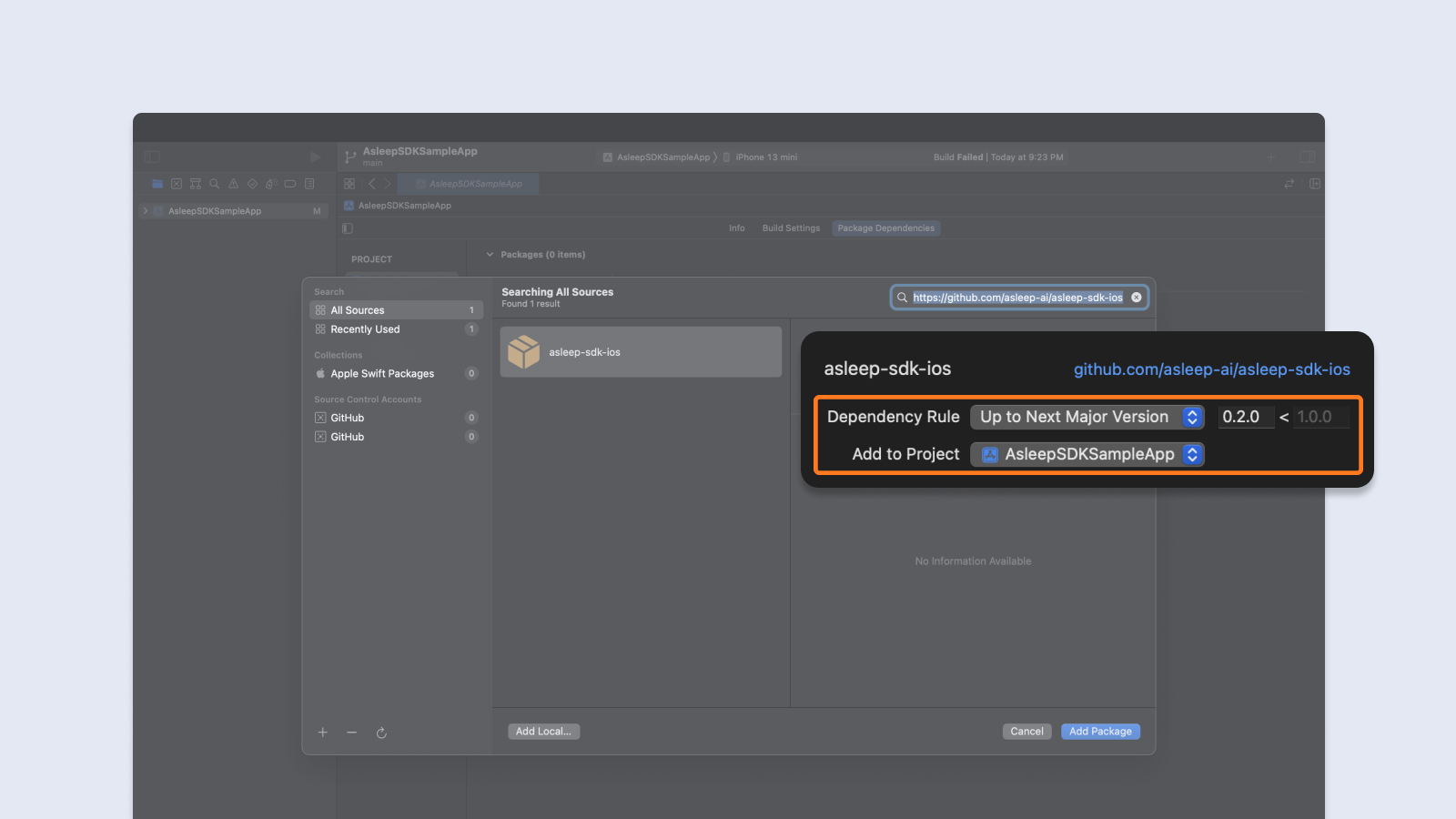
3. In Version, select Up to Next Major Version and the default option.\
4. Click `Add Package` button.\
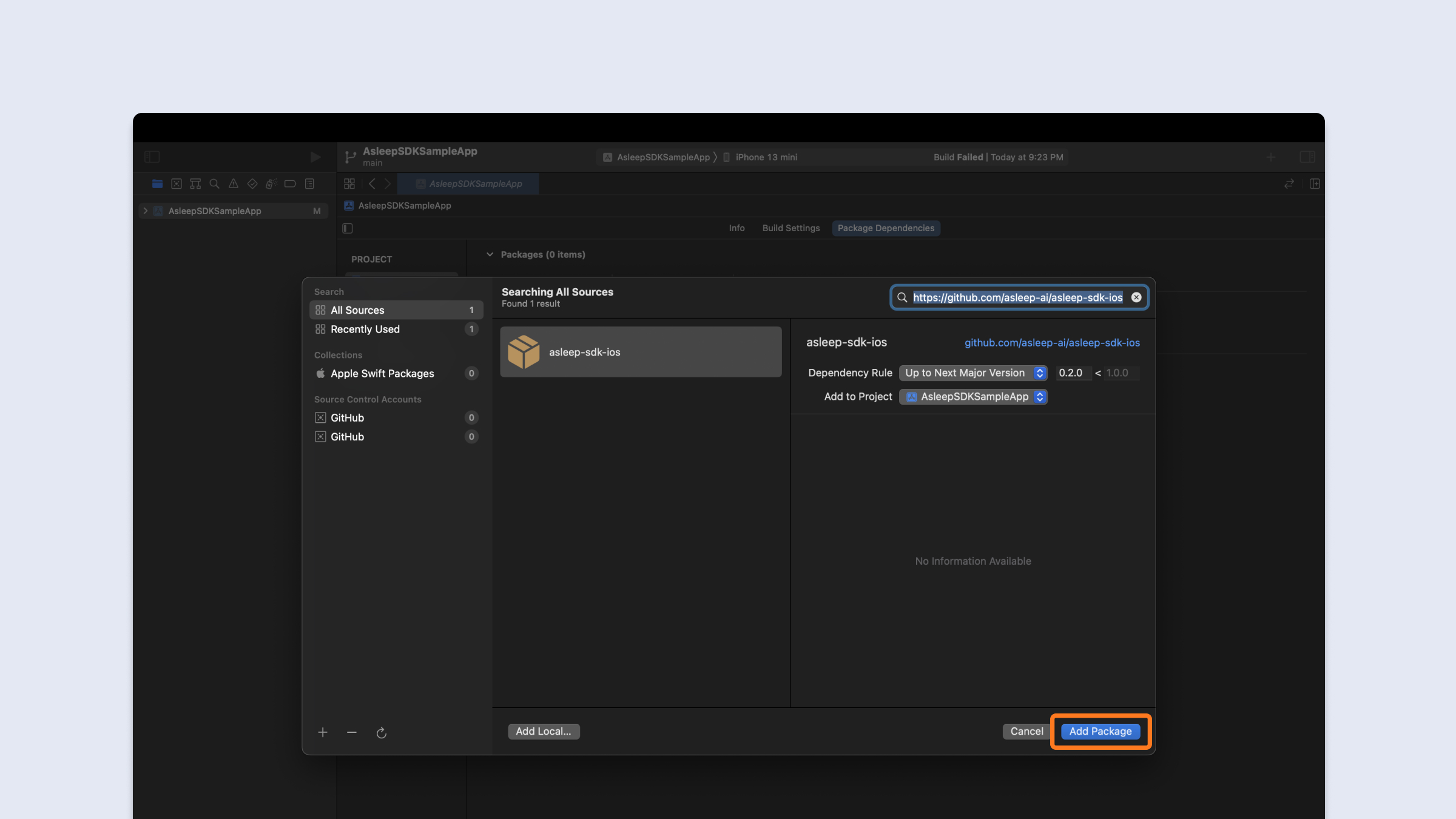
5. Click `Add Package` button one more time.\
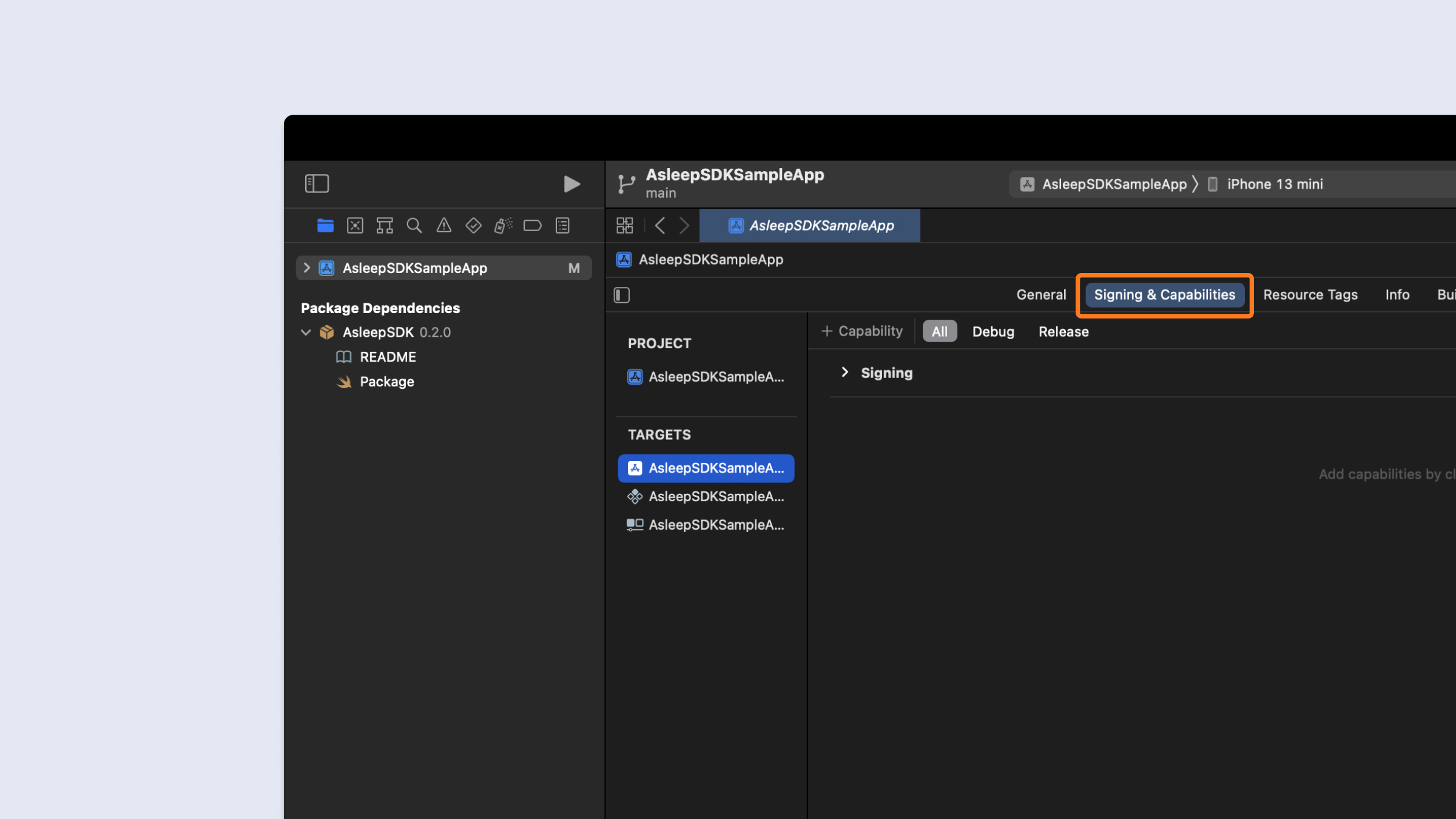
6. In Xcode, click `Signing & Capabilities` on your application target.\
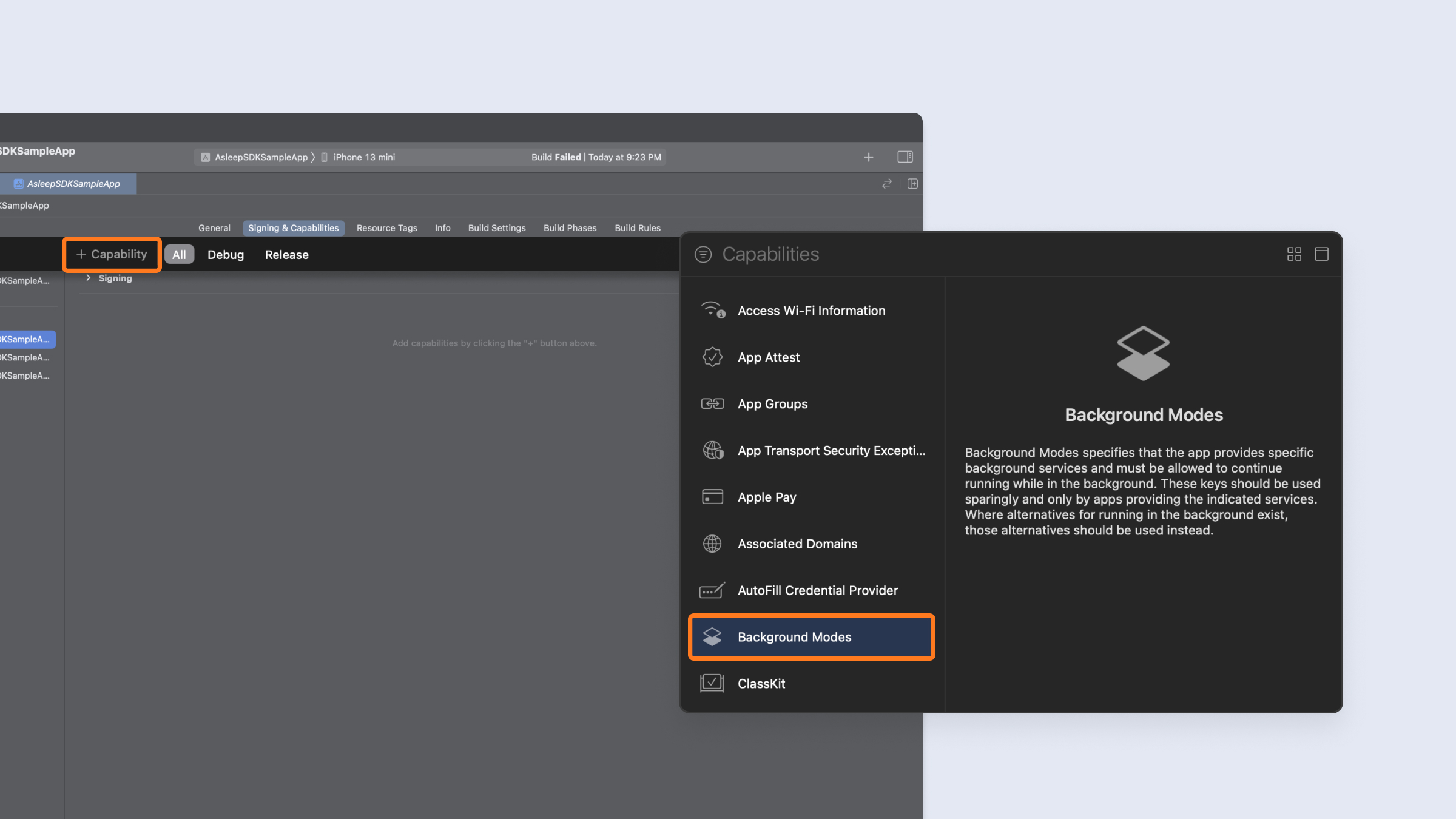
7. Click `+ Capability` button and double click `Background Modes`.\
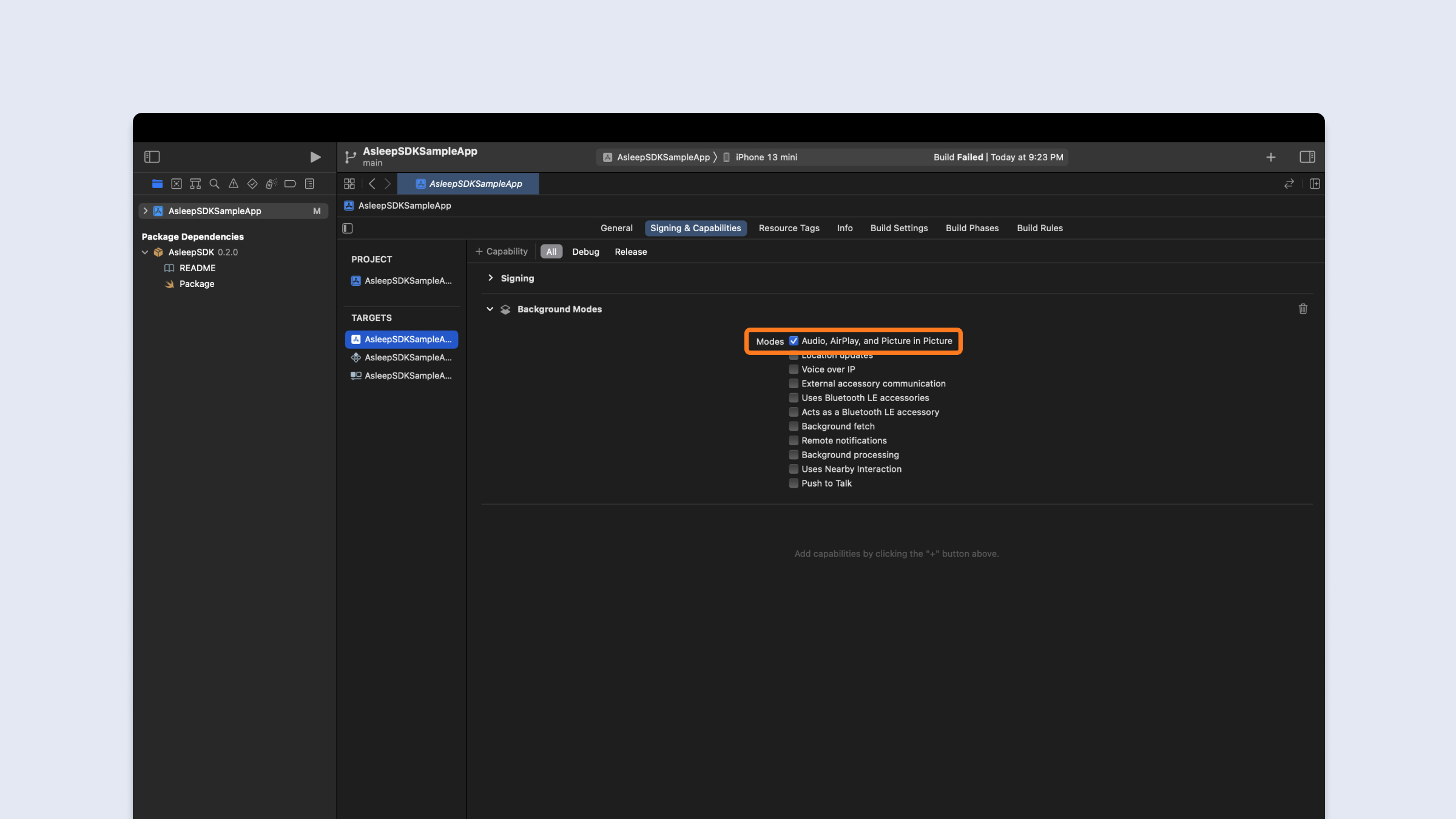
8. Select `Audio, AirPlay, and Picture in Picture`.\
9. In Xcode, click `Info` on your app target.\
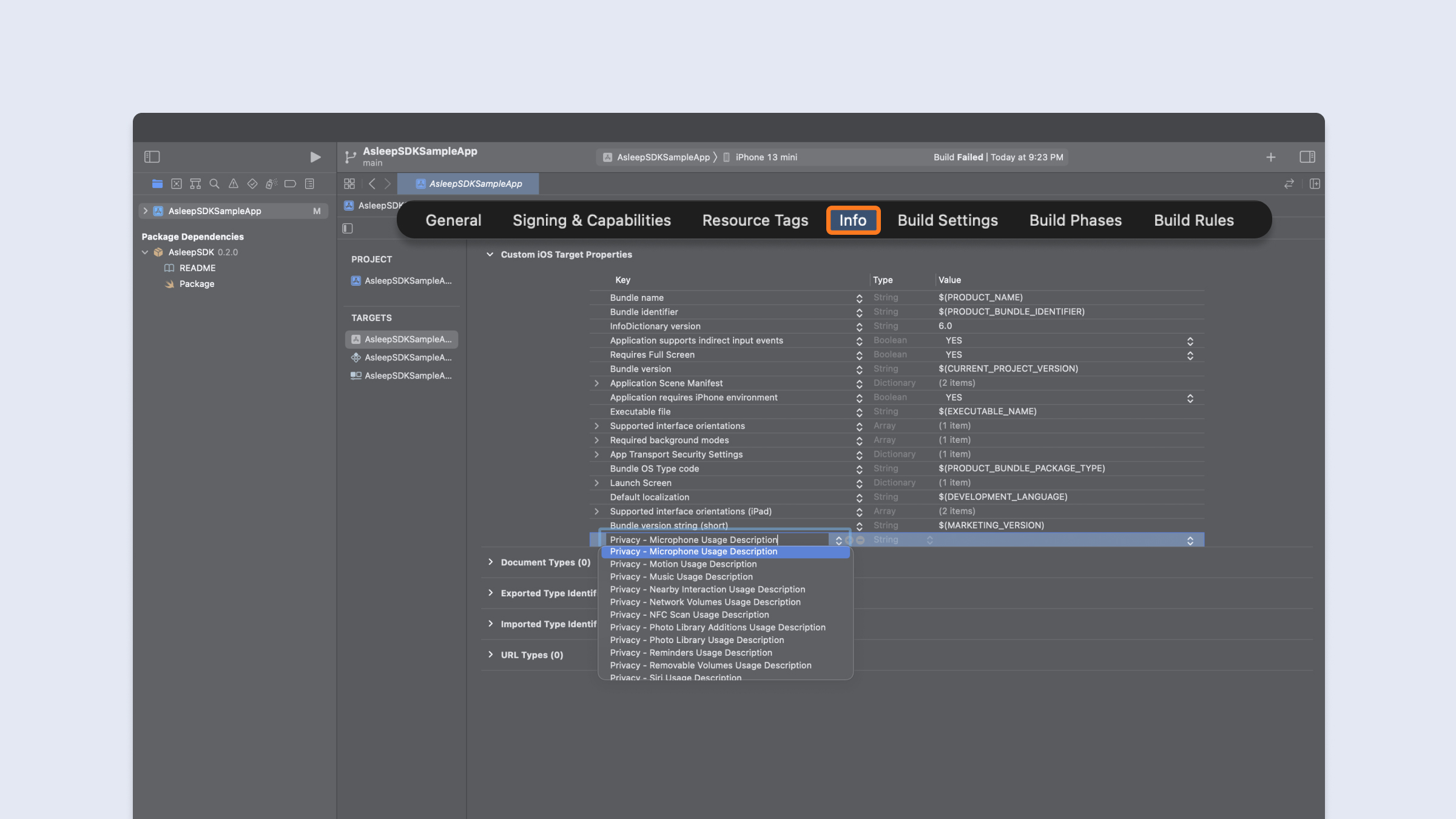
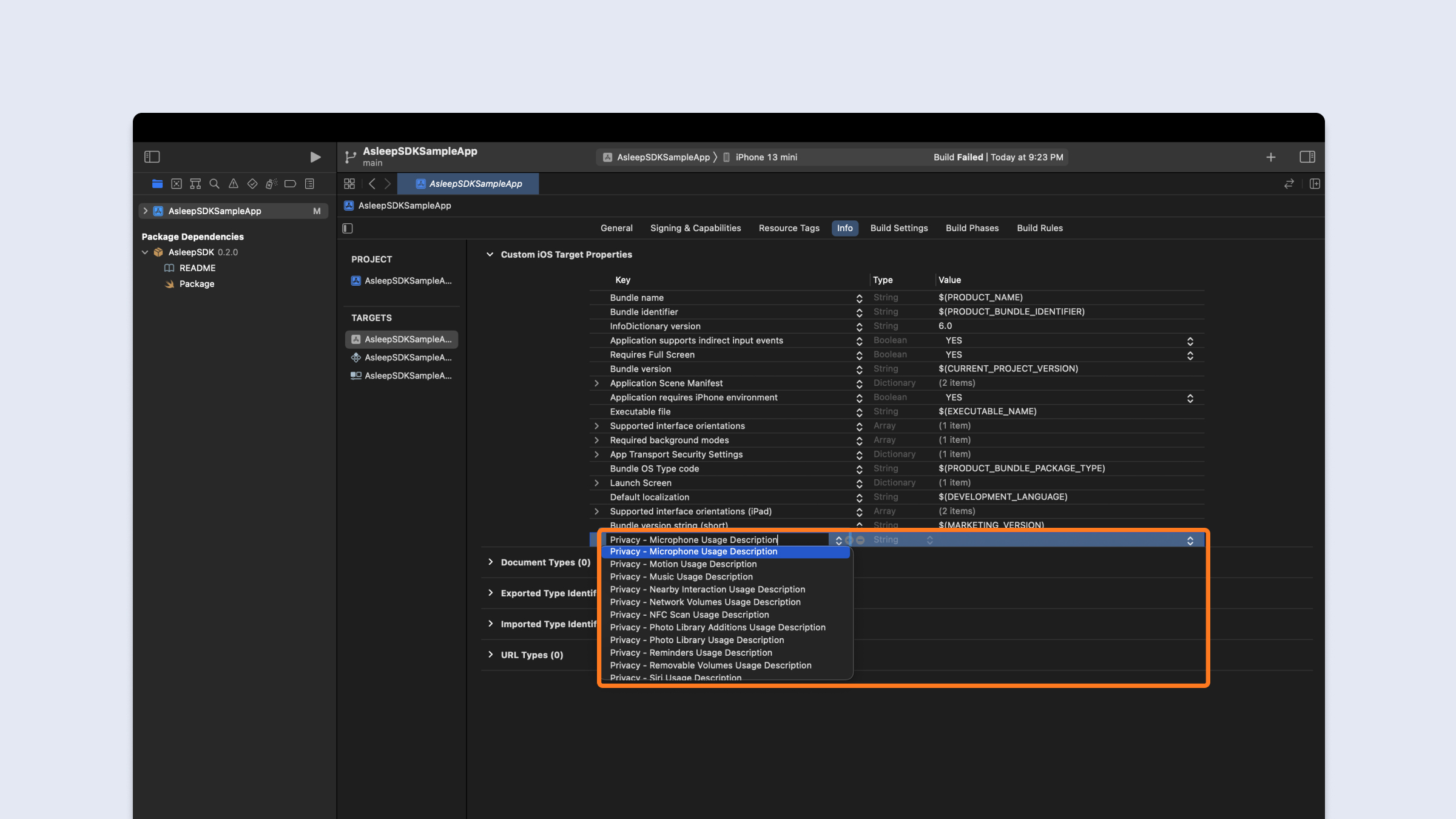
10. Click `+` and add `Privacy - Microphone Usage Description`.\
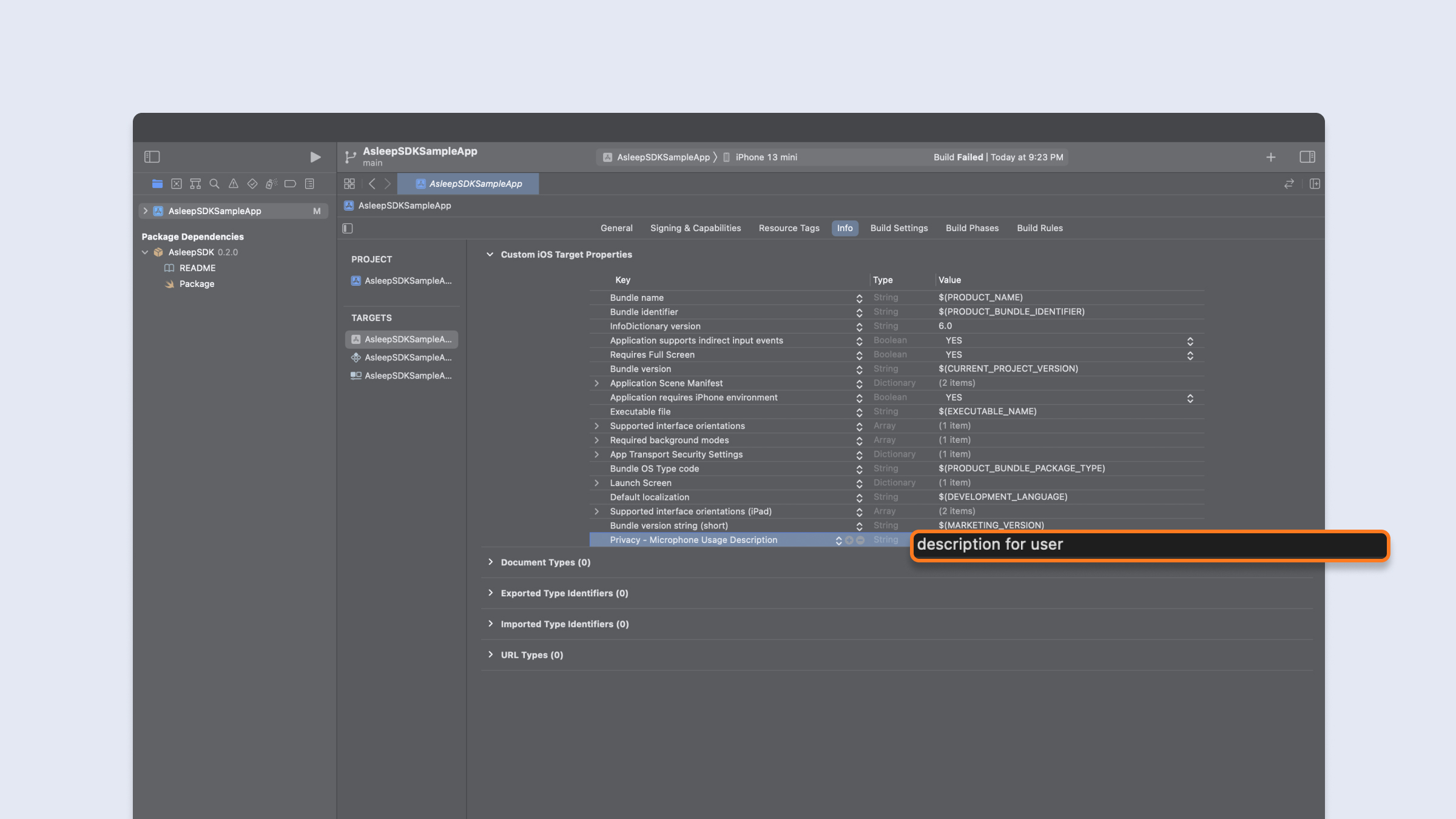
11. Write a microphone permission request message.\
## Import the Asleep SDK
```swift
import AsleepSDK
```
***
# Sleep Tracking with SleepTrack SDK
## Initialize the SleepTrack SDK
1. **Initialize config**
* If userId is nil, a new userId will be generated.
* Enter the proxy server in baseUrl. If nil, the default base URL will be used.
* Enter the server to receive the analysis results directly in callbackUrl. If nil, there is no callback.
* If there is a nickname for the app you are developing, enter it in the service.
```swift Swift
let apiKey: String = "YOUR_API_KEY"
let userId: String?
let baseUrl: URL?
let callbackUrl: URL?
let service: String?
let delegate: AsleepConfigDelegate = self
Asleep.initAsleepConfig(apiKey: apiKey,
userId: userId,
baseUrl: baseUrl,
callbackUrl: callbackUrl,
service: service,
delegate: self)
```
2. **Get config and user ID**
```swift
extension YourClass: AsleepConfigDelegate {
func userDidJoin(userId: String, config: Asleep.Config) {
self.userId = userId
self.config = config
}
func didFailUserJoin(error: Asleep.AsleepError) {
print(error)
}
func userDidDelete(userId: String) {
print("\(userId) is deleted")
}
}
```
> ❗️ Should save `userId` in your permanent storage for join
## Create SleepTrackingManager
```swift
var config: Asleep.Config?
let delegate: AsleepSleepTrackingManagerDelegate = self
var manager: Asleep.SleepTrackingManager?
if let config {
manager = Asleep.createSleepTrackingManager(config: config,
delegate: self)
}
```
> 🚧 You must use the Asleep.Config issued in userDidJoin.
## Start Tracking
```swift
var manager: Asleep.SleepTrackingManager?
manager?.startTracking()
```
> ❗️ SDK needs microphone permission for startTracking()
## Stop Tracking
```swift
var manager: Asleep.SleepTrackingManager?
manager?.stopTracking()
```
1. **Get session ID for the sleep report**
```swift
extension YourClass: AsleepSleepTrackingManagerDelegate {
func didClose(sessionId: String) {
self.sessionId = sessionId
}
}
```
## Create Reports
```swift
var config: Asleep.Config?
var reports: Asleep.Reports?
if let config {
reports = Asleep.createReports(config: config)
}
```
> 🚧 You must use the Asleep.Config issued in userDidJoin.
## Get Report
```swift
var reports: Asleep.Reports?
var sessionId: String?
if let reports, let sessionId {
// Closure
reports.report(sessionId: sessionId) {
if let error = $1 {
print(error)
return
}
if let report = $0 {
}
}
// Async
Task {
do {
let report: Asleep.Model.Report = try await reports.report(sessionId: sessionId)
} catch {
print(error)
}
}
}
```
> 📘 Run the Sample App to quickly familiarize yourself with the SDK and apply it to your actual project.
>
> [https://github.com/asleep-ai/asleep-sdk-ios-sampleapp-public](https://github.com/asleep-ai/asleep-sdk-ios-sampleapp-public)